ADIF Master  ADIF Master
Contest LogChecker  Contest LogChecker
DXSpotter  DXSpotter
DX Pocket

DX Pocket

Introduction

DXPocket is a fast, stable, low-traffic, and easy-to-use DX Cluster program for Pocket PC.
Wherever you are located, with DXPocket you can connect to your favorite DX Cluster via Telnet service using a Windows Mobile-based phone only!

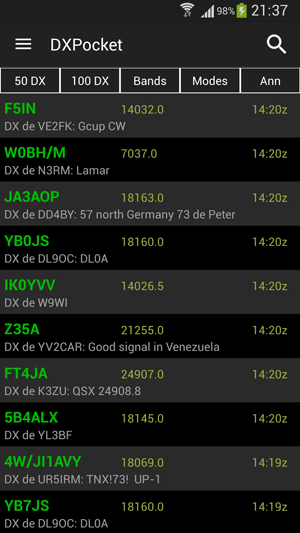
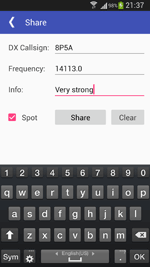
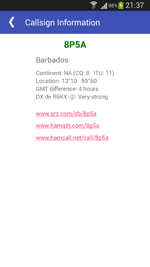
With a few taps you can find a required station in the Cluster, obtain DXCC information of selected DX, send DX Spot, announcement or WWV report.

DXPocket uses an extremely low amount of Internet traffic. For example, if you are working in the contest, you may use less than 50 kilobytes per 1 hour.

DXPocket has the broad ability to notify you about specified DX stations, allowing the use of the program in the background. You can set your own unique sounds or turn on the "voice spell" mode to notify when a required DX station, announcement or WWV information has appeared.

DXPocket has a fully adjustable interface, and satisfies the needs of any user.

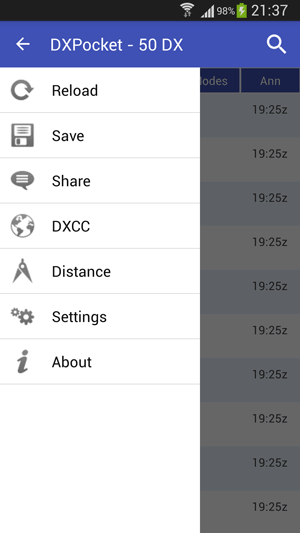
DXPocket Cluster Tab
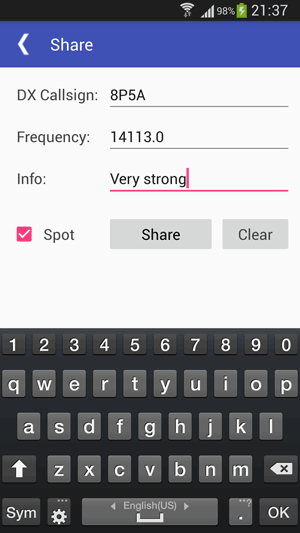
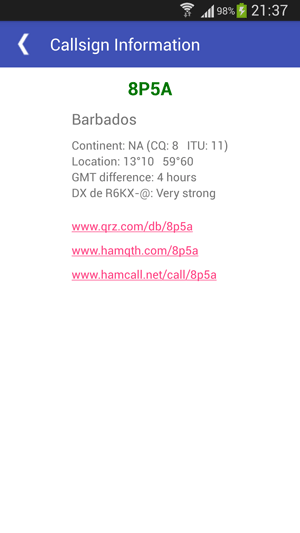
DXPocket Spots Tab DXPocket Send Tab DXPocket DXCC Tab
DXPocket Open and Save log dialog DX Summit dialog DXPocket Open and Save log dialog


The main window tab can be filtered to show only DX stations on certain bands. You can even filter the DX by frequency range to only show the stations you care about for contests.

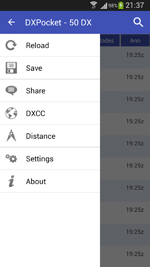
A full log of the program, lists of the DX spots and announcements can easily be saved for future reference and use, with the additional ability of sorting them 'offline'.


DXPocket Video Tutorials (Flash)
Note: You will need Flash player (Adobe, Macromedia) installed to view the tutorials on this site.

N Description Size Link
1. How to install DXPocket on your Pocket PC 752 KB (SWF) View
2. How to configure DXPocket 2.33 MB (SWF) View
3. How to connect to DX Cluster 449 KB (SWF) View
4. How to Open and Save a log file 1.24 MB (SWF) View
5. How to connect and use DX Summit service 1.05 MB (SWF) View
6. How to uninstall DXPocket from Pocket PC 834 KB (SWF) View
  Download all tutorials as a single package 5.29 MB (ZIP) Download

DXPocket Downloads

Version Package Size URL
2.0 Setup Wizard EXE file 1) 1.38 MB (EXE) Download Link 1  (RUS)
Download Link 2  (USA)
Download Link 3  (UA)
2.0 ARM CAB file 2) 1.33 MB (CAB) Download Link 1  (RUS)
Download Link 2  (USA)
Download Link 3  (UA)
1.0 Setup Wizard EXE file 1) 1.25 MB (EXE) Download
1.0 ARM CAB file 2) 1.16 MB (CAB) Download


1) Installation from Desktop PC

Desktop installation file will automatically install DXPocket on your Windows Mobile-based Pocket PC. 2) Installation from Pocket PC

Device installation CAB will install all necessary components of DXPocket on your Pocket PC device.

Note: This installation does not include desktop components.


DXPocket Registration

DXPocket is not free software. Unregistered copies of DXPocket are fully functional, but will run for 10 minutes per session only.

You can download and use DXPocket free of charge for a period of 30 days. After that period you have to either uninstall the software or register your copy of the DXPocket by sending an equivalent of 20 US Dollars.


Purchase DXPocket Online!

Purchase DXPocket Online!


Before registering the program, please download the TRIAL version and verify that it works to your satisfaction with the DX cluster node you normally use. Please check that DXPocket is compatible with your Pocket PC system before ordering.

Once registered, you'll get a lifetime unlimited free access to any future release of current version, without having to register DXPocket again.


RSS Feed Contacts Purchase Downloads
© 2008-2011 DXShell.com. All rights reserved.